
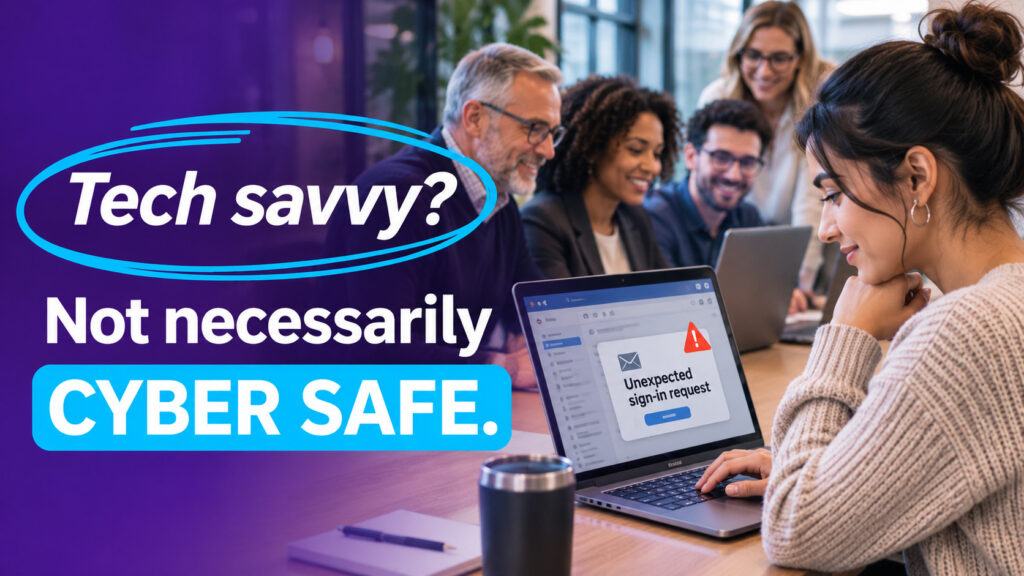
Your youngest employee might be the person everyone calls when an app stops working. They can troubleshoot a smartphone, navigate new software, and solve everyday technology problems without much effort.
But would they recognize a convincing phishing email? Would they question an unexpected login approval request?
That's where businesses sometimes make a costly assumption.
Being comfortable with technology doesn't automatically mean someone understands cybersecurity.
Cybersecurity awareness training should include everyone, regardless of age, job title, or technical experience.
Tech Skills and Cybersecurity Awareness Are Different
It's tempting to assume employees who grew up using smartphones and social media already understand how to stay safe online.
After all, they spend much of their day using technology.
But knowing how to use an application doesn't necessarily mean understanding its security risks.
Someone might manage several digital accounts effortlessly but reuse the same password across them. Another employee might recognize suspicious emails but approve an unexpected multi-factor authentication (MFA) request without checking it.
Both situations can expose business systems and sensitive information.
The important distinction is that technical confidence and safe security habits are separate skills. Neither should be assumed based on someone's age or experience.
Every Employee Has Different Security Blind Spots
Cybercriminals don't choose targets based on how tech-savvy someone appears.
They look for opportunities to exploit trust, urgency, or unfamiliar situations.
Consider a few common scenarios:
- A new employee receives a convincing message that appears to come from HR.
- An experienced manager clicks a fraudulent invoice link during a busy afternoon.
- A department leader shares sensitive information after receiving what looks like an urgent request from a colleague.
- An IT employee approves an account recovery request without independently verifying the caller.
Different roles bring different risks.
That's why cybersecurity training shouldn't be reserved for employees considered less technical. Executives, managers, IT professionals, and frontline staff all need relevant, ongoing education.
Security Training Must Reflect How Employees Actually Work
Workplace technology has changed, and cybersecurity awareness needs to keep pace.
Employees routinely check email on smartphones, open shared documents remotely, approve sign-in requests between meetings, and move between business and personal applications.
These everyday activities introduce opportunities for mistakes.
Training should address situations employees are likely to encounter, including:
- Suspicious emails, text messages, and collaboration-platform messages.
- Fake login pages and unexpected MFA requests.
- Password reuse and secure account management.
- Risks associated with personal devices and public Wi-Fi.
- Requests for sensitive business information or unexpected remote access.
The goal is to help employees recognize questionable situations and know what to do next.
A familiar application or convincing message shouldn't automatically be treated as trustworthy.
What Effective Cybersecurity Training Looks Like
A single annual presentation may satisfy an internal training requirement, but it isn't enough to reinforce safe habits throughout the year.
Effective programs combine practical instruction, regular reminders, and opportunities to practice.
Here are five ways to strengthen your approach:
1. Include everyone. Make security awareness part of onboarding and ongoing training for employees, managers, and leaders.
2. Use realistic examples. Show employees suspicious messages and requests similar to those they encounter at work.
3. Practice regularly. Use short exercises and simulated phishing messages to help reinforce recognition and reporting skills.
4. Make reporting simple. Provide a clearly identified contact or a report phishing button so employees know exactly where to send suspicious messages.
5. Encourage questions without blame. Employees should feel comfortable checking an unusual request or reporting a mistake promptly.
That last point deserves particular attention.
If employees worry they'll be criticized for asking questions or reporting a suspicious message, they may hesitate when quick action matters most.
A supportive reporting process helps IT investigate potential threats sooner.
Make Cybersecurity Awareness Everyone's Responsibility
Cybersecurity training works best when it becomes part of normal business operations rather than an occasional compliance exercise.
Start by asking your IT team:
- When did every employee last complete security awareness training?
- Does the training cover current phishing and social engineering techniques?
- Do employees know how to verify suspicious requests and report potential incidents?
The answers can help identify gaps before they lead to an avoidable security incident.
No employee is automatically security-ready because of their age, experience, or comfort with technology.
Give everyone the knowledge, tools, and confidence to recognize risks and respond appropriately.
For practical guidance on strengthening email security and employee awareness, explore Reintivity's Click-Proof Email, a guide to reducing phishing, spoofing, and email fraud.


 Data & Online Analytics
